Stop Doing These 7 Things with Your Invoices (Before They Cost You)
Discover the 7 costly invoice processing mistakes draining your time and money. Learn how to automate invoice workflows and eliminate manual errors today.
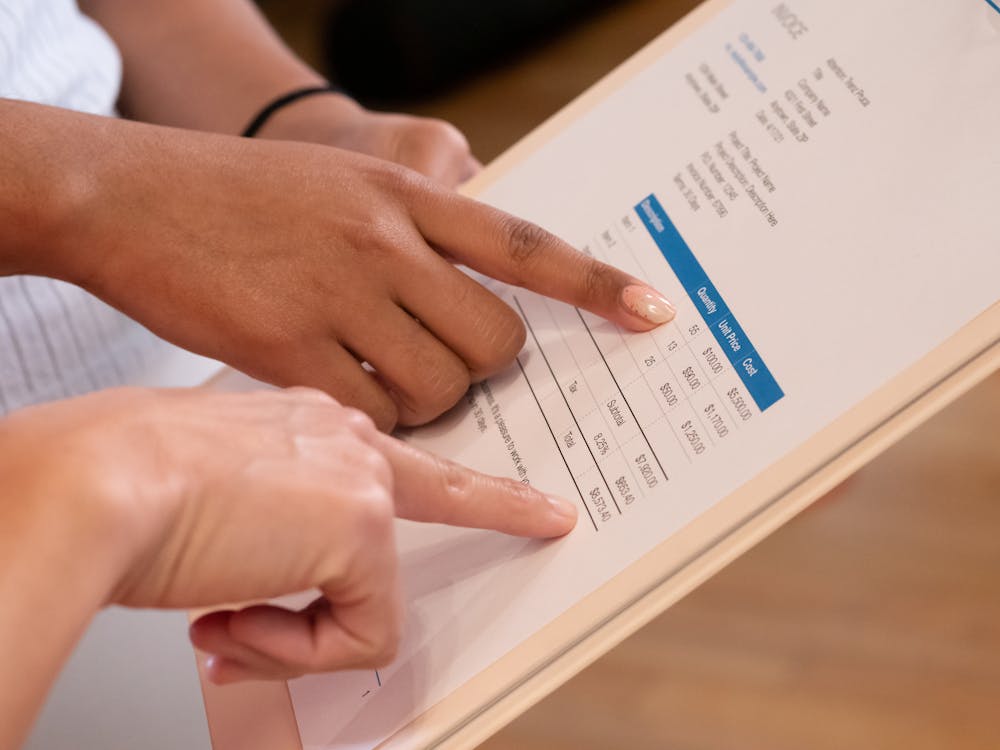
Your accounts payable team is drowning. Not in water, but in paper invoices, email attachments, and spreadsheet tabs that multiply faster than they can close them. If your invoice process feels like a never-ending game of whack-a-mole, you're not alone.
Here's the uncomfortable truth: most businesses are still processing invoices the same way they did in 2005. Manual data entry. Endless email chains. Spreadsheets held together by prayers and conditional formatting.
The result? Delayed payments, duplicate invoices, strained vendor relationships, and finance teams that spend 80% of their time on data entry instead of strategic work.
It's time to stop. Let's break down the seven invoice processing mistakes that are silently bleeding your business dry—and exactly how to fix them.
The Real Cost of Bad Invoice Habits
Before we dive into the mistakes, let's quantify the damage. According to industry research, the average cost to process a single invoice manually ranges from $12 to $30. For companies processing thousands of invoices monthly, that's not just overhead—it's a budget hemorrhage.
| Metric | Manual Processing | Scanny AI Automation |
|---|---|---|
| Cost per invoice | $12-$30 | $0.50-$2 |
| Processing time | 10-15 minutes | Under 30 seconds |
| Error rate | 1-3% | Less than 0.1% |
| Late payment penalties | Common | Virtually eliminated |
| Staff hours per 1,000 invoices | 200+ hours | 10-15 hours |
The average AP department spends 68% of their time on manual data entry. With automation, that drops to under 10%.
Now, let's identify the specific habits that are holding you back.
Mistake #1: Manually Keying Invoice Data
This is the cardinal sin of invoice processing. Every time a team member types vendor names, invoice numbers, line items, and amounts into your system, you're:
- Wasting time: 10-15 minutes per invoice adds up fast
- Introducing errors: Transposed numbers, typos, and missed fields
- Creating bottlenecks: One person sick? Your entire AP process stalls
The Fix: Automated Data Extraction
Modern OCR (Optical Character Recognition) powered by AI doesn't just read text—it understands the context. Scanny AI extracts structured data from invoices automatically, regardless of format or layout.
Here's what an invoice extraction schema looks like:
{
  "fields": [
    { "name": "vendor_name", "type": "string" },
    { "name": "invoice_number", "type": "string" },
    { "name": "invoice_date", "type": "date" },
    { "name": "due_date", "type": "date" },
    { "name": "subtotal", "type": "number" },
    { "name": "tax_amount", "type": "number" },
    { "name": "total_amount", "type": "number" },
    { "name": "payment_terms", "type": "string" },
    { "name": "line_items", "type": "array", "items": {
      "description": "string",
      "quantity": "number",
      "unit_price": "number",
      "line_total": "number"
    }}
  ]
}
The invoice arrives → Scanny extracts the data → Structured JSON flows to your ERP. Zero keystrokes required.
Mistake #2: Storing Invoices in Your Email Inbox
Your inbox is not a filing system. Yet countless businesses treat it like one, with invoices buried in email threads, attachments scattered across folders, and critical documents lost in the digital void.
The problems with inbox-based invoice storage:
- No centralized visibility: Who's responsible for which invoice?
- Version confusion: Is this the updated invoice or the original?
- Audit nightmares: "Find all invoices from Vendor X in Q3" becomes a multi-hour scavenger hunt
- Security risks: Sensitive financial data sitting in personal email accounts
The Fix: Automated Email Intake
Set up an automated workflow that monitors your AP email address. When invoices arrive as attachments, they're automatically:
- Extracted from the email
- Processed through OCR
- Validated against your vendor database
- Routed for approval
- Archived with full searchability
With Scanny AI, you can connect your inbox directly and let automation do the sorting. Start your free trial to see it in action.
Mistake #3: Using Spreadsheets as Your Invoice Tracker

We need to talk about that Excel file named Invoice_Tracker_FINAL_v3_UPDATED_USE_THIS_ONE.xlsx.
Spreadsheets are powerful tools, but they're terrible invoice management systems. Here's why:
- No real-time collaboration: Someone's always working in a stale version
- Formula fragility: One wrong edit breaks the entire cascade
- No audit trail: Who changed what, and when?
- Manual everything: Every entry, every update, every status change requires human intervention
- Scale limits: Performance degrades as data grows
The Fix: Purpose-Built Workflow Automation
Stop forcing spreadsheets to do jobs they weren't designed for. Invoice management requires:
- Status tracking (received, processing, approved, paid)
- Approval routing based on amount thresholds
- Integration with accounting systems
- Automated reminders and escalations
- Complete audit history
Scanny AI workflows handle all of this automatically. Define your rules once, and the system executes them consistently every time.
Mistake #4: Ignoring Duplicate Invoice Detection
Duplicate payments are more common than most finance teams want to admit. Industry estimates suggest that 0.1% to 0.5% of invoice payments are duplicates. For a company processing $10 million in payables annually, that's $10,000 to $50,000 walking out the door.
Duplicates happen because:
- Vendors resend invoices that weren't acknowledged
- Invoices enter the system through multiple channels (email, portal, mail)
- Manual entry creates variations (Invoice #1234 vs INV-1234 vs 001234)
- Staff turnover leads to process gaps
The Fix: Intelligent Duplicate Detection
AI-powered invoice processing doesn't just extract data—it cross-references it. Before any invoice enters your approval queue, automated systems should:
- Compare invoice numbers against historical records
- Match vendor + amount + date combinations
- Flag potential duplicates for human review
- Maintain a confidence score for each match
{
  "duplicate_check": {
    "status": "potential_match",
    "confidence": 0.92,
    "matched_invoice": "INV-2025-0823",
    "match_reasons": [
      "Same vendor",
      "Identical total amount",
      "Invoice date within 7 days"
    ],
    "recommendation": "Review before processing"
  }
}
With Scanny AI, duplicate detection happens automatically, preventing costly errors before they occur.
Mistake #5: Processing Invoices One at a Time

Here's a scenario that plays out in AP departments everywhere:
- Open email
- Download attachment
- Open invoice in viewer
- Switch to accounting system
- Create new entry
- Type data field by field
- Save entry
- File original document
- Repeat... for every... single... invoice
This sequential, one-at-a-time approach is wildly inefficient. Your team's cognitive energy is spent on context switching rather than value-added work.
The Fix: Batch Processing with Parallel Automation
Modern invoice automation processes multiple documents simultaneously. Here's how it works:
- Bulk upload: Drop 50, 100, or 500 invoices at once
- Parallel processing: AI extracts data from all documents concurrently
- Batch review: Approve multiple invoices with a single action
- Mass export: Push approved data to your ERP in one transaction
The result? What took a team hours now completes in minutes. Start your free trial and process your first batch today.
Mistake #6: Skipping Validation and Verification
Garbage in, garbage out. If you're not validating invoice data before it enters your systems, you're building your financial records on a foundation of potential errors.
Common validation failures include:
- Invalid vendor IDs: Payment instructions routing to wrong accounts
- Mismatched PO numbers: Invoices that don't tie to approved purchases
- Incorrect tax calculations: Compliance issues and audit findings
- Missing required fields: Incomplete records that cause downstream problems
The Fix: Automated Validation Rules
Configure your invoice processing workflow with validation checkpoints:
{
  "validation_rules": [
    {
      "field": "vendor_id",
      "rule": "must_exist_in_vendor_master",
      "on_fail": "flag_for_review"
    },
    {
      "field": "po_number",
      "rule": "must_match_open_po",
      "on_fail": "reject_with_reason"
    },
    {
      "field": "tax_amount",
      "rule": "must_equal_calculated_tax",
      "tolerance": 0.01,
      "on_fail": "flag_for_review"
    },
    {
      "field": "total_amount",
      "rule": "sum_line_items_plus_tax",
      "on_fail": "reject_with_reason"
    }
  ]
}
With automated validation, errors are caught immediately—not discovered during month-end close or, worse, during an audit.
Mistake #7: Not Integrating with Your Accounting Software
The final and perhaps most costly mistake: treating invoice processing as a standalone activity rather than part of your integrated financial ecosystem.
Without proper integration, you face:
- Double data entry: Manually transferring approved invoices into your ERP
- Sync delays: Payment status in your accounting system doesn't match reality
- Reconciliation headaches: Matching invoices to payments becomes a manual exercise
- Reporting gaps: No real-time visibility into payables
The Fix: Direct ERP/Accounting Integration

Scanny AI connects directly to your existing systems through pre-built integrations and flexible APIs. The workflow becomes seamless:
- Invoice received: Email, upload, or cloud storage trigger
- Data extracted: AI-powered OCR captures all fields
- Validation complete: Business rules applied automatically
- Approval routed: Sent to the right approver based on amount/vendor/department
- ERP updated: Approved invoice flows directly into your accounting system
- Payment scheduled: Based on terms and cash flow optimization
No manual handoffs. No duplicate entry. No delays.
Integration Example: Invoice lands in your Google Drive → Scanny AI extracts and validates → Approved data posts to QuickBooks → Payment reminder sent via Slack
The Complete Invoice Automation Workflow
Let's bring it all together. Here's what modern invoice processing looks like with Scanny AI:
┌─────────────────────────────────────────────────────────────┐
│                    INVOICE SOURCES                          │
├─────────────────────────────────────────────────────────────┤
│  Email Inbox  │  Cloud Drive  │  Direct Upload  │  API     │
└───────┬───────┴───────┬───────┴───────┬─────────┴────┬─────┘
        │               │               │              │
        └───────────────┴───────┬───────┴──────────────┘
                                │
                                ▼
┌─────────────────────────────────────────────────────────────┐
│                    SCANNY AI PROCESSING                     │
├─────────────────────────────────────────────────────────────┤
│  1. Document Classification (Invoice, Credit Note, etc.)   │
│  2. AI-Powered Data Extraction                              │
│  3. Duplicate Detection                                     │
│  4. Validation Against Business Rules                       │
│  5. Confidence Scoring                                      │
└───────────────────────────┬─────────────────────────────────┘
                            │
                            ▼
┌─────────────────────────────────────────────────────────────┐
│                    APPROVAL WORKFLOW                        │
├─────────────────────────────────────────────────────────────┤
│  • Auto-approve under threshold                             │
│  • Route to manager for larger amounts                      │
│  • Escalate after SLA breach                                │
└───────────────────────────┬─────────────────────────────────┘
                            │
                            ▼
┌─────────────────────────────────────────────────────────────┐
│                    SYSTEM INTEGRATION                       │
├─────────────────────────────────────────────────────────────┤
│  QuickBooks  │  Xero  │  SAP  │  NetSuite  │  Custom ERP   │
└─────────────────────────────────────────────────────────────┘
Calculating Your Invoice Automation ROI
Still wondering if automation is worth it? Let's do the math:
Your Current State:
- Invoices processed monthly: 500
- Average time per invoice: 12 minutes
- Hourly labor cost: $30
- Monthly processing cost: 500 × 12 min × ($30/60) = $3,000
With Scanny AI:
- Processing time per invoice: 30 seconds (review only)
- Exception handling: 10% require human review (3 min each)
- Monthly processing cost: (450 × 0.5 min × $0.50) + (50 × 3 min × $0.50) = $187.50
Monthly Savings: $2,812.50 Annual Savings: $33,750
And that's before counting eliminated late payment fees, prevented duplicate payments, and the value of redirecting your team to strategic work.
Stop the Bleeding. Start Automating.
Every day you continue with manual invoice processing is a day you're:
- Paying more than you should
- Processing slower than you could
- Making more errors than necessary
- Frustrating your team and vendors
The seven mistakes we've covered aren't just bad habits—they're competitive disadvantages in a world where operational efficiency determines winners and losers.
Here's your action plan:
- Audit your current invoice process
- Identify which of these seven mistakes apply to you
- Calculate your potential savings
- Start your free Scanny AI trial and process your first batch
The technology exists. The ROI is clear. The only question is: how long will you wait?
Ready to Transform Your Invoice Processing?
Scanny AI turns invoice chaos into structured, automated workflows. No more manual data entry. No more email scavenger hunts. No more spreadsheet nightmares.
Start your free trial today and see the difference in your first invoice batch.
Already have an account? Log in to get started.
Questions? Visit Scanny AI to learn more about our intelligent document processing platform.