5 Signs You've Outgrown Manual Processing
5 critical signs manual document processing is holding you back. Learn how automation can transform your operations.

The Hidden Cost of "Just One More Document"
You've been there. It's 4:47 PM on a Friday, and someone from accounting drops another stack of invoices on your desk. "Can you have these entered by Monday?" they ask. You glance at the pile—maybe 50 documents—and mentally calculate: 3-5 minutes per invoice, times 50... that's at least 3 hours of pure data entry.
This is the moment you realize manual processing isn't sustainable anymore.
Manual document processing might have worked when you were handling 20 documents a week. But now you're processing 200. Or 2,000. Your team is drowning in paper and PDFs, and the question isn't whether to automate—it's why you haven't already.

According to a 2024 McKinsey study, companies waste an average of 3.5 hours per employee per day on manual data processing tasks. For a team of 10, that's 87.5 hours per week spent on work that software could complete in minutes.
Let's explore the 5 critical signs that your business has outgrown manual processing—and more importantly, what you can do about it.
Sign #1: Your Team Spends More Time on Data Entry Than Strategic Work
The Symptom
Your best analysts—the ones you hired for their critical thinking and problem-solving skills—are spending 60-70% of their day copying information from invoices into spreadsheets. Your HR team manually enters resume data instead of interviewing candidates. Your accounting team types numbers instead of analyzing financial trends.
The talent drain is real.
Why This Happens
Manual processing doesn't scale linearly. When document volume doubles, processing time more than doubles because:
- Context switching increases
- Quality control becomes harder
- Team fatigue leads to slower processing
- Training new team members takes longer
The Solution: Intelligent Document Processing
Scanny AI extracts data from any document type—invoices, receipts, resumes, contracts, forms—and routes it directly into your systems. Your team reviews exceptions, not every single document.
Here's what automated extraction looks like in practice:
{
  "documentType": "invoice",
  "fields": [
    {
      "name": "invoiceNumber",
      "type": "string",
      "required": true
    },
    {
      "name": "invoiceDate",
      "type": "date",
      "required": true
    },
    {
      "name": "vendorName",
      "type": "string",
      "required": true
    },
    {
      "name": "totalAmount",
      "type": "number",
      "required": true
    },
    {
      "name": "lineItems",
      "type": "array",
      "items": {
        "description": "string",
        "quantity": "number",
        "unitPrice": "number",
        "amount": "number"
      }
    },
    {
      "name": "taxAmount",
      "type": "number"
    },
    {
      "name": "paymentTerms",
      "type": "string"
    }
  ]
}
This schema tells Scanny AI exactly what to extract. The AI reads the document, identifies the relevant fields, and outputs structured JSON that flows directly into your ERP, accounting software, or database—no human data entry required.
Key Takeaway: If your most skilled employees are doing work a computer can do better, you're wasting your most valuable resource: human intelligence.
Sign #2: Error Rates Increase as Volume Grows
The Symptom
You're catching more mistakes in your data. Duplicate entries. Transposed numbers. Missing fields. What used to be a 1-2% error rate has crept up to 5-8%. Worse, you're discovering errors weeks or months after they occur, when the damage is already done.

The Math of Human Error
Studies show that manual data entry has an inherent error rate of 1-4% under ideal conditions. But conditions are rarely ideal:
- Fatigue: Error rates double after 4 hours of continuous data entry
- Interruptions: Each distraction increases error probability by 12%
- Complexity: Documents with 20+ fields have 3x higher error rates
- Volume: Processing speed pressure increases errors by 40%
When you're processing 1,000 invoices per month with a 3% error rate, that's 30 incorrect invoices causing payment delays, vendor disputes, and reconciliation headaches.
The Automation Advantage
Modern OCR and AI systems achieve 99.2-99.8% accuracy on document processing—and they don't get tired, distracted, or bored. More importantly, automated systems are consistently accurate:
| Metric | Manual Processing | Scanny AI Automation |
|---|---|---|
| Accuracy Rate | 92-96% (varies by fatigue) | 99.2-99.8% (consistent) |
| Processing Speed | 3-5 min per document | 10-30 seconds per document |
| Cost per Document | $2.50-$4.00 (labor cost) | $0.05-$0.15 (processing cost) |
| Error Detection | Manual review (20% coverage) | Automated validation (100% coverage) |
| Processing Hours | Business hours only | 24/7/365 |
| Scalability | Requires hiring | Instant scaling |
With Scanny AI, you define validation rules directly in your extraction schema:
{
  "documentType": "invoice",
  "validationRules": {
    "invoiceNumber": {
      "pattern": "^INV-[0-9]{6}$",
      "errorMessage": "Invoice number must follow format INV-XXXXXX"
    },
    "totalAmount": {
      "min": 0,
      "max": 1000000,
      "mustEqual": "sum(lineItems.amount) + taxAmount"
    },
    "invoiceDate": {
      "notFuture": true,
      "notOlderThan": "2 years"
    }
  }
}
The system automatically flags documents that don't match your rules, ensuring zero invalid data enters your systems.
Key Takeaway: Humans make mistakes. Computers make the same mistake until you fix it. Automated validation catches errors before they cause problems.
Sign #3: You Can't Scale Without Hiring More People
The Symptom
Your business is growing—contracts are up 40%, invoice volume doubled, applicant flow increased by 60%—and your only solution is to hire more processors. But recruiting, onboarding, and training take months, and by the time new hires are productive, volume has grown again.
You're on a hiring treadmill you can't get off.
The Linear Scaling Trap
Manual processing creates a cruel equation:
- 2x document volume = 2x headcount needed
- 3x growth = 3x hiring, training, management overhead
Real example: A mid-sized logistics company processing 5,000 shipping documents per week needed:
- 5 full-time processors (current state)
- 3 additional processors when they won project (60% growth)
- Estimated $240,000 in annual salary costs for the new hires
- 3-4 months to recruit and train them to full productivity
They implemented Scanny AI instead:
- Processed 8,000 documents per week with the same 5-person team
- Team focused on exceptions and strategic work (not data entry)
- $18,000 annual software cost vs. $240,000 in salaries
- Deployed in 2 weeks, not 3-4 months

How Automation Scales Exponentially
With intelligent document processing, scaling is instant:
- 10x document volume? Same infrastructure.
- New document types? Add a schema in minutes.
- New geographic regions? No new offices or hiring needed.
- Seasonal spikes? The system handles them automatically.
Here's how Scanny AI handles resume processing at scale:
{
  "documentType": "resume",
  "fields": [
    {
      "name": "candidateName",
      "type": "string",
      "required": true
    },
    {
      "name": "email",
      "type": "email",
      "required": true
    },
    {
      "name": "phone",
      "type": "phone"
    },
    {
      "name": "workExperience",
      "type": "array",
      "items": {
        "company": "string",
        "position": "string",
        "startDate": "date",
        "endDate": "date",
        "description": "string"
      }
    },
    {
      "name": "education",
      "type": "array",
      "items": {
        "institution": "string",
        "degree": "string",
        "field": "string",
        "graduationDate": "date"
      }
    },
    {
      "name": "skills",
      "type": "array",
      "items": "string"
    }
  ]
}
This schema processes resumes from any format—PDF, Word, plain text—and outputs structured data that flows directly into your Applicant Tracking System (ATS). Whether you're processing 50 resumes or 5,000, the process is identical.
Key Takeaway: Manual processing scales linearly (double volume = double people). Automation scales exponentially (100x volume = same system).
Sign #4: Documents Get Lost, Delayed, or Forgotten
The Symptom
"Has anyone seen the Johnson contract?" "Did we process that invoice from Acme Corp?" "I thought you were handling the resume from that candidate?"
Documents live in email inboxes, shared drives with inconsistent naming, physical filing cabinets, and—worst of all—individual desktops. When someone is sick or on vacation, their work stops. When an employee leaves, their knowledge walks out the door.
This isn't a filing problem. It's a system problem.
The Chaos of Unstructured Workflows
Manual document processing creates invisible workflows:
- Sarah handles invoices from email
- John processes contracts from the shared drive
- Maria deals with paper documents from the front desk
- Everyone uses slightly different naming conventions
- No one knows the current status of any document
Result: Documents get stuck in personal queues, critical deadlines are missed, and teams spend hours just finding things.
Centralized Workflow Automation
Scanny AI creates a single, automated pipeline for all document types:
Step 1: Automatic Document Intake
- Email attachments → Auto-processed
- Cloud storage (Google Drive, Dropbox, OneDrive) → Auto-monitored
- API uploads → Instant processing
- Scan to folder → Automatic pickup
Step 2: Intelligent Processing
- AI identifies document type automatically
- Extracts data using predefined schemas
- Validates against business rules
- Flags exceptions for human review
Step 3: Smart Routing
- Invoices → Accounting system (QuickBooks, Xero, NetSuite)
- Resumes → ATS (Greenhouse, Lever, Workday)
- Contracts → CRM (Salesforce, HubSpot) + Legal folder
- Receipts → Expense management (Expensify, Concur)
Step 4: Audit Trail
- Every document timestamped and logged
- Complete processing history
- User actions tracked
- Compliance-ready documentation
Workflow Example: Invoice Processing Pipeline
{
  "workflowName": "Invoice Processing",
  "trigger": {
    "source": "email",
    "condition": "attachment contains PDF or image",
    "monitoredFolder": "invoices@company.com"
  },
  "processing": {
    "documentType": "invoice",
    "extractionSchema": "invoice-schema-v2",
    "validation": "invoice-validation-rules"
  },
  "routing": [
    {
      "condition": "totalAmount < 1000",
      "action": "autoApprove",
      "destination": "QuickBooks",
      "notification": "accounting@company.com"
    },
    {
      "condition": "totalAmount >= 1000 AND totalAmount < 10000",
      "action": "requireManagerApproval",
      "approver": "manager@company.com",
      "destination": "QuickBooks"
    },
    {
      "condition": "totalAmount >= 10000",
      "action": "requireDirectorApproval",
      "approver": "director@company.com",
      "destination": "QuickBooks"
    }
  ],
  "notifications": {
    "onSuccess": "accounting@company.com",
    "onException": "admin@company.com",
    "onApprovalNeeded": "approver + accounting@company.com"
  }
}
This workflow runs 24/7, processing invoices the moment they arrive—no lost documents, no delays, no manual tracking.
Key Takeaway: Manual workflows live in people's heads. Automated workflows live in systems that never forget, never sleep, and never quit.
Sign #5: You Lack Real-Time Visibility Into Your Processes
The Symptom
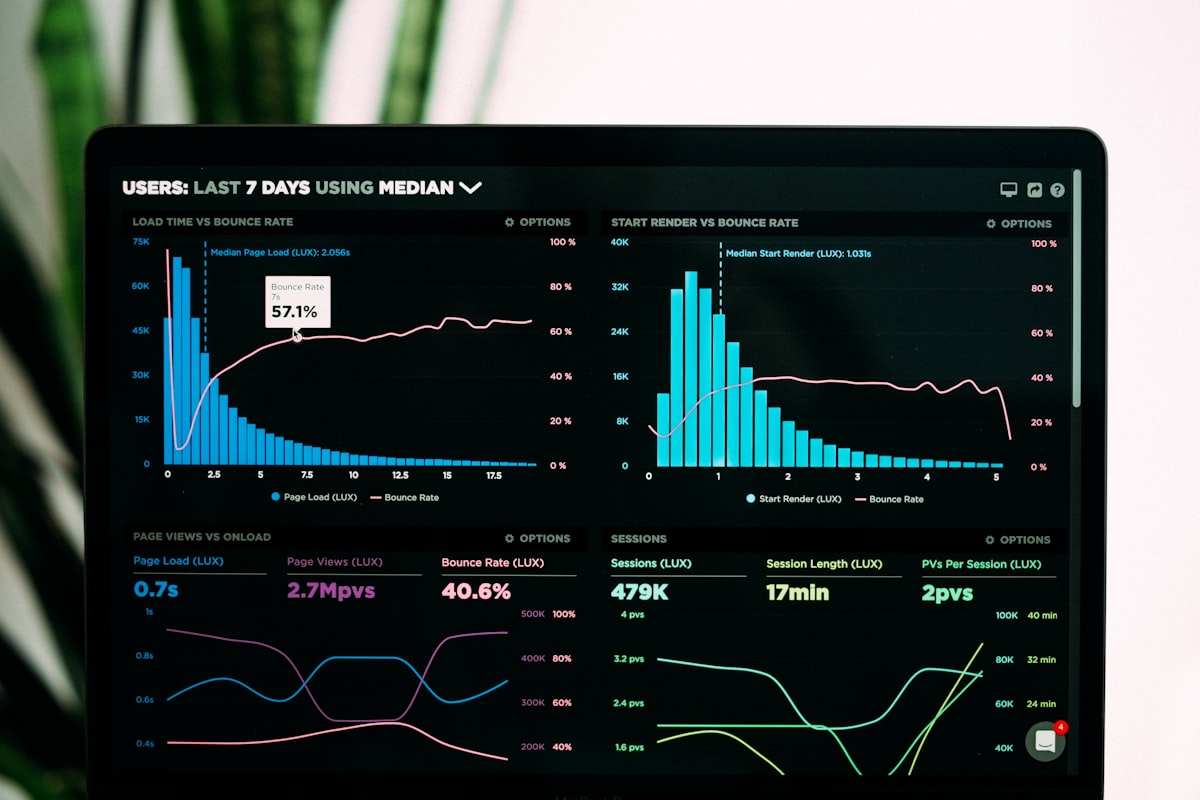
Your CEO asks, "How many invoices are we processing this month?" You have no idea. Your CFO wants to know average invoice approval time. You'd need a week to manually calculate it. Your COO wants to see which vendors are causing the most processing delays. You literally can't answer without days of manual analysis.
You're flying blind.
The Data Dark Age
Manual processing generates no usable analytics:
- No processing time metrics
- No bottleneck identification
- No cost-per-document calculations
- No trend analysis
- No predictive insights
Decisions get made based on gut feeling, anecdotal evidence, and quarterly reviews that are already outdated by the time you see them.
Real-Time Process Intelligence
Automated document processing generates actionable insights automatically:
Processing Metrics:
- Documents processed per day/week/month
- Average processing time per document type
- Exception rates and common failure points
- Peak volume periods and capacity planning
Cost Analytics:
- Cost per document processed
- Labor savings vs. manual processing
- ROI tracking over time
- Budget forecasting based on trends
Quality Metrics:
- Extraction accuracy rates
- Validation failure patterns
- Error types and root causes
- Continuous improvement tracking
Business Intelligence:
- Vendor payment patterns
- Invoice approval bottlenecks
- Hiring pipeline velocity (resume processing)
- Contract renewal schedules
Scanny AI Dashboard Example:
Your real-time dashboard shows:
- 12,847 documents processed this month (23% increase vs. last month)
- Average processing time: 18 seconds (down from 4 minutes manual)
- 98.7% accuracy rate (flagged 167 exceptions for review)
- Cost savings: $18,400 this month (vs. manual processing)
- Top 3 document types: Invoices (6,200), Receipts (4,100), Contracts (2,547)
- Processing bottleneck: Invoice approvals over $10K (avg. 2.3 days)
This data is live, exportable, and actionable—giving you the insights needed to optimize operations continuously.
Key Takeaway: You can't improve what you can't measure. Automation turns invisible processes into optimizable systems.
The Manual vs. Automated Reality: A Direct Comparison
Let's see the full picture side-by-side. This table shows the real costs and benefits of manual document processing vs. intelligent automation with Scanny AI:
| Metric | The Manual Way | The Scanny AI Way |
|---|---|---|
| Processing Speed | 3-5 minutes per document | 10-30 seconds per document |
| Accuracy Rate | 92-96% (varies by person/fatigue) | 99.2-99.8% (consistent) |
| Operating Hours | Business hours only (40 hrs/week) | 24/7/365 (168 hrs/week) |
| Scalability | Linear (2x volume = 2x people) | Exponential (100x volume = same system) |
| Cost Per Document | $2.50-$4.00 (labor + overhead) | $0.05-$0.15 (processing cost) |
| Error Detection | Random sampling (~20% checked) | 100% automated validation |
| Training Time | 2-6 weeks for new hires | Configure once, works forever |
| Employee Satisfaction | Low (repetitive work) | High (strategic work only) |
| Analytics & Reporting | Manual compilation (hours/days) | Real-time dashboards (instant) |
| Compliance Audit Trail | Incomplete, manual logs | Complete, automatic, searchable |
| Document Routing | Manual forwarding (minutes to hours) | Instant, rule-based automation |
| Vacation/Sick Day Impact | Work stops or backlogs | Zero impact, continuous processing |
| ROI Timeline | N/A (ongoing cost) | 3-6 months typical payback |
Real-World Example: Mid-Size Financial Services Firm
Before Scanny AI (Manual Processing):
- 8 full-time processors handling invoices, receipts, contracts
- Processing 8,500 documents/month
- $480,000 annual labor cost
- 4.5% error rate (383 errors/month requiring rework)
- 4-6 day processing lag time
- Cannot handle seasonal spikes (holiday contracts)
After Scanny AI (Automated Processing):
- 2 process managers handling exceptions and oversight
- Processing 17,200 documents/month (2x increase)
- $120,000 annual labor cost + $22,000 software = $142,000 total
- 0.8% error rate (138 flagged exceptions/month, caught before entry)
- 4-hour processing lag time
- Handles 5x seasonal spikes without additional staff
Net Result:
- $338,000 annual savings (70% cost reduction)
- 2x processing capacity with 75% less staff
- 5.6x fewer errors impacting operations
- 24x faster processing (6 days → 4 hours)
- Team morale improved (strategic work vs. data entry)
What to Do If You Recognize These Signs
If you've identified with 2 or more of these signs, it's time to seriously evaluate document automation. Here's your action plan:
Step 1: Audit Your Current State (1 Week)
Document your reality:
- How many documents do you process monthly (by type)?
- How many hours does your team spend on data entry?
- What's your current error rate?
- What's the average processing time per document?
- How much does manual processing cost (fully loaded labor cost)?
Step 2: Define Your Automation Goals (1 Week)
Be specific:
- Target processing time reduction (e.g., 80% faster)
- Target accuracy improvement (e.g., < 1% error rate)
- Target cost savings (e.g., 60% reduction)
- Target capacity increase (e.g., 2x volume with same staff)
Step 3: Test With a Pilot (2-4 Weeks)
Start small, prove value:
- Choose your highest-volume document type (invoices, receipts, resumes)
- Process 100-500 documents through Scanny AI
- Compare results against manual processing
- Measure time, accuracy, cost, and team feedback
Step 4: Scale Across Document Types (1-3 Months)
Once proven, expand systematically:
- Add new document types progressively
- Build workflows connecting to your core systems
- Train team on exception handling (not data entry)
- Monitor metrics and optimize continuously
Step 5: Measure & Optimize (Ongoing)
Automation isn't "set and forget"—it's continuous improvement:
- Review weekly analytics dashboards
- Identify bottlenecks and refine workflows
- Add new automation rules as patterns emerge
- Expand to adjacent document types
Start your free Scanny AI trial today and process your first 100 documents at no cost. No credit card required, no commitment—just results.
The Bottom Line: Manual Processing is a Choice, Not a Necessity
Ten years ago, document automation was expensive, complex, and required massive IT projects. Today, it's accessible, affordable, and deployable in days—not months.
The real question isn't whether you can afford to automate. It's whether you can afford not to.
Every day you spend on manual processing is a day your competitors are pulling ahead. They're processing more documents, faster, with fewer errors, at lower cost—and they're using those savings to invest in growth, not data entry.
The five signs we've covered aren't just symptoms—they're warnings:
- Strategic talent doing tactical work → Wasted human potential
- Rising error rates → Customer dissatisfaction and rework costs
- Scaling through headcount → Unsustainable cost structure
- Lost and delayed documents → Operational chaos
- No process visibility → Blind decision-making
If you recognize even one of these signs in your organization, you've outgrown manual processing.
The good news? You can fix it today.
Scanny AI gives you enterprise-grade document automation without enterprise complexity or cost:
- Deploy in days, not months
- No coding required for most use cases
- Pay as you grow pricing (no massive upfront costs)
- Integrate with tools you already use (CRMs, ERPs, drives, email)
- Scale instantly as your business grows
Ready to Leave Manual Processing Behind?
Start your free trial and see what automation can do for your business—or log in if you're already part of the Scanny AI family.
Still have questions? Check out our documentation or contact our team. We're here to help you automate smarter, not harder.
About Scanny AI Scanny AI is an intelligent document processing platform that extracts structured data from any document type—invoices, receipts, resumes, contracts, forms, and more—and routes it directly into your business systems. Built for teams who are tired of manual data entry and ready to scale without hiring limits. Learn more at scanny-ai.com.