We Paid That Invoice Twice (Here's How to Never Do That)
Duplicate invoice payments cost businesses 0.8-2% of total spend. Learn how AI-powered automation catches duplicates before they leak cash.
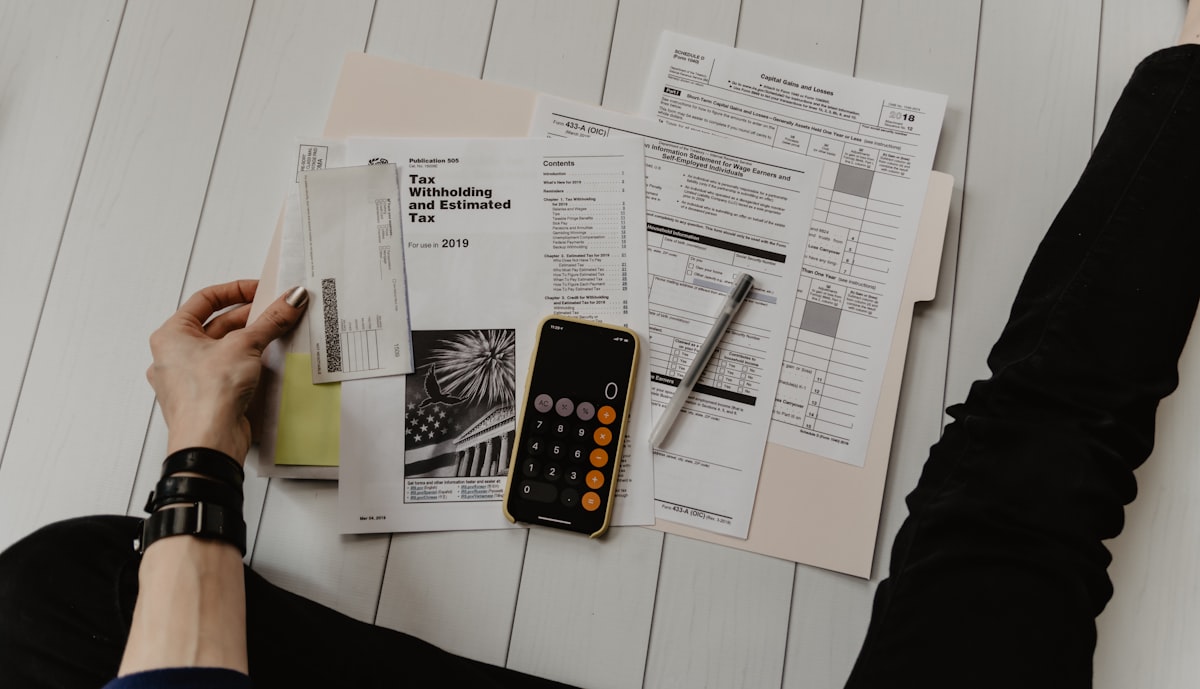
It was 4:47 PM on a Friday when Sarah, the AP Manager at a regional manufacturing company, got the call that ruined her weekend. Their biggest supplier was on the line, confused. They'd received two payments for the same invoice—$47,000 each. One payment was correct. The other was a $47,000 mistake that was already on its way to the vendor's bank account.
Recovering that money took three weeks of emails, phone calls, and awkward conversations. The vendor was cooperative, but it still required legal review, bank coordination, and executive sign-off. The real cost wasn't just the temporary cash flow hit—it was the 40+ hours of staff time to fix one preventable error.
Sound familiar? If you haven't experienced this exact scenario, you probably know someone who has. Duplicate invoice payments are one of the most common—and most preventable—financial leaks in business.
The $2.5 Million Problem You Didn't Know You Had
Here's a statistic that should make every CFO uncomfortable: According to research cited by industry analysts, organizations make duplicate payments ranging from 0.8% to 2% of their total payments. For a company processing $100 million in annual payments, that's $800,000 to $2 million walking out the door.
And that's just the direct cost. The hidden costs are even worse:
- Recovery efforts: Staff time spent chasing down duplicate payments averages 15-20 hours per incident
- Vendor relationship damage: Nothing says "we don't have our act together" like paying an invoice twice
- Audit findings: Duplicate payments are red flags that trigger deeper (and more expensive) audits
- Cash flow disruption: Especially painful when you're operating on tight margins
- Fraud vulnerability: Duplicate payment patterns can mask intentional fraud schemes

The uncomfortable truth: Most companies don't even know how many duplicate payments they're making. Without systematic detection, these payments silently leak cash month after month.
Why Duplicate Payments Keep Happening
Before we fix the problem, let's understand why it happens. Duplicate invoices don't just appear out of nowhere—they're symptoms of deeper process issues.
The 7 Root Causes of Duplicate Invoice Payments
| Root Cause | How It Happens | Frequency |
|---|---|---|
| Multiple vendor records | Same vendor exists as "ABC Supplies" and "ABC Suppliers Inc." in your system | Very Common |
| Resubmitted invoices | Vendor sends the same invoice twice (email + mail, or two emails) | Common |
| Invoice number variations | Same invoice entered as "INV-001" and "INV001" (hyphen difference) | Common |
| Manual data entry errors | AP clerk enters invoice twice on different days | Common |
| Decentralized AP processing | Different locations or departments process the same invoice | Moderate |
| System integration gaps | Invoice paid in one system, not synced to another | Moderate |
| Intentional fraud | Vendor or employee deliberately resubmits for double payment | Rare |
The frustrating part? Every one of these is preventable with the right controls in place.
The Manual Way vs. The Scanny AI Way
Let's compare how companies typically handle duplicate detection versus what's actually possible with automation.
| Approach | Manual/Legacy Process | Scanny AI Automation |
|---|---|---|
| Detection Method | Eyeballing or basic exact-match queries | AI-powered fuzzy matching across all fields |
| When Detected | Often after payment is made | Before invoice is approved |
| Vendor Matching | Exact name match only | Identifies "ABC Supply" = "A.B.C. Supplies Inc." |
| Invoice Number Matching | Exact string match | Catches "INV-001" vs "INV001" vs "Invoice #001" |
| Amount Tolerance | None (must match exactly) | Configurable tolerance (e.g., within $0.10) |
| Cross-Reference Fields | Usually just invoice number | Vendor + Amount + Date + PO combined check |
| Historical Lookback | Last 30-90 days (manual check) | Entire payment history (automatic) |
| Detection Rate | 60-70% of duplicates caught | 99%+ of duplicates caught |
| Time to Detect | Days to weeks | Seconds |
| Recovery Cost | 15-20 hours per incident | Prevention—no recovery needed |
Annual impact for a company with $50M in payments:
- Manual process: $250,000-$500,000 in duplicate payments (0.5-1% leakage)
- Scanny AI automation: <$5,000 in duplicate payments (0.01% leakage)
- Net savings: $245,000-$495,000 per year
That's not incremental improvement. That's a step change.
How AI-Powered Duplicate Detection Actually Works
Traditional duplicate detection relies on exact matching: Does invoice number "12345" already exist in the system? If yes, flag it.
The problem? Real-world duplicates rarely look identical.
Scanny AI uses multi-layer fuzzy matching to catch duplicates that slip past basic systems:
Layer 1: Invoice Number Normalization
Before comparing, Scanny normalizes invoice numbers to catch variations:
Original: "INV-2025-001"  → Normalized: "INV2025001"
Original: "Invoice #001"   → Normalized: "INV001"
Original: "inv_001"        → Normalized: "INV001"
Original: "2025/001"       → Normalized: "2025001"
Result: Catches duplicates even when vendors use inconsistent formatting.
Layer 2: Vendor Entity Resolution
Vendor names get messy. The same supplier might appear as:
- "ABC Supply Company"
- "ABC Supplies"
- "A.B.C. Supply Co."
- "ABC SUPPLY CO LLC"
Scanny's vendor matching uses similarity scoring and entity resolution to identify these as the same vendor—even if they're stored as separate vendor records in your ERP.
Layer 3: Multi-Field Composite Matching
When invoice numbers aren't reliable (some vendors reuse them annually), Scanny checks a composite of fields:
{
  "duplicate_detection_rules": {
    "exact_match_fields": [
      "invoice_number",
      "vendor_id"
    ],
    "fuzzy_match_fields": [
      {
        "field": "vendor_name",
        "similarity_threshold": 0.85
      },
      {
        "field": "invoice_number",
        "similarity_threshold": 0.90
      }
    ],
    "composite_match": {
      "required_matches": ["vendor", "amount", "invoice_date"],
      "date_tolerance_days": 7,
      "amount_tolerance_percent": 0.5
    },
    "lookback_period_days": 365
  }
}
What this means:
- If vendor + amount + date (within 7 days) all match, it's flagged as a potential duplicate—even if invoice numbers differ
- Amount tolerance catches invoices rounded differently ($1,000.00 vs $1,000)
- 365-day lookback catches annually resubmitted invoices
Layer 4: Purchase Order Cross-Reference
For invoices referencing a PO, Scanny checks:
- Has this PO already been fully invoiced?
- Does the invoice amount exceed the remaining PO balance?
- Is this the same line item being billed twice?
Result: Three-way matching that catches duplicate billing even when invoice numbers are completely different.
The Complete Invoice Extraction Schema for Duplicate Prevention
Here's the JSON schema Scanny uses to extract invoice data—specifically designed to capture every field needed for comprehensive duplicate detection:
{
  "fields": [
    {
      "name": "vendor_name",
      "type": "string",
      "description": "Full legal name of the vendor/supplier as printed on invoice"
    },
    {
      "name": "vendor_tax_id",
      "type": "string",
      "description": "Vendor's tax identification number (EIN, VAT, etc.)"
    },
    {
      "name": "vendor_address",
      "type": "string",
      "description": "Complete vendor mailing address"
    },
    {
      "name": "invoice_number",
      "type": "string",
      "description": "Invoice identifier exactly as printed (preserve formatting)"
    },
    {
      "name": "invoice_date",
      "type": "date",
      "description": "Date invoice was issued (YYYY-MM-DD format)"
    },
    {
      "name": "due_date",
      "type": "date",
      "description": "Payment due date (YYYY-MM-DD format)"
    },
    {
      "name": "po_number",
      "type": "string",
      "description": "Purchase order reference number if present"
    },
    {
      "name": "remit_to_address",
      "type": "string",
      "description": "Payment address if different from vendor address"
    },
    {
      "name": "line_items",
      "type": "array",
      "description": "Individual line items for detailed matching",
      "schema": {
        "item_number": "string",
        "description": "string",
        "quantity": "number",
        "unit_price": "number",
        "amount": "number"
      }
    },
    {
      "name": "subtotal",
      "type": "number",
      "description": "Invoice subtotal before tax"
    },
    {
      "name": "tax_amount",
      "type": "number",
      "description": "Total tax charged"
    },
    {
      "name": "shipping_amount",
      "type": "number",
      "description": "Shipping/freight charges if itemized"
    },
    {
      "name": "total_amount",
      "type": "number",
      "description": "Final invoice total (primary matching field)"
    },
    {
      "name": "currency",
      "type": "string",
      "description": "Currency code (USD, EUR, GBP, etc.)"
    },
    {
      "name": "payment_terms",
      "type": "string",
      "description": "Payment terms (Net 30, 2/10 Net 30, etc.)"
    },
    {
      "name": "bank_account_last_four",
      "type": "string",
      "description": "Last 4 digits of payment account if shown (fraud detection)"
    }
  ]
}
Why these fields matter for duplicate detection:
- vendor_tax_id: Definitive vendor identification even when names vary
- remit_to_address: Catches fraud attempts where payment is redirected
- line_items: Enables line-level duplicate detection (same item billed on multiple invoices)
- bank_account_last_four: Flags when payment instructions change (potential fraud indicator)
The Workflow: From Invoice Receipt to Duplicate-Free Payment
Here's exactly how Scanny AI prevents duplicate payments in a real-world AP workflow:
Step 1: Intelligent Capture (Anywhere Invoices Arrive)
Invoices come from everywhere:
- Email: attachments@yourcompany.com monitored 24/7
- Cloud storage: Google Drive, Dropbox, OneDrive folder watching
- Supplier portals: API connections pull invoices automatically
- Mobile capture: Snap photos of paper invoices on the go
Every invoice is captured the moment it arrives. No more "invoice sitting in someone's inbox for two weeks."
Step 2: AI Extraction with Gemini Vision
Scanny AI uses Gemini Vision—the same AI that powers Google's document understanding—to extract structured data from every invoice. Not basic OCR that reads text; true AI that understands document structure.
Extraction accuracy: 99.5%+ across formats, languages, and layouts.
Step 3: Real-Time Duplicate Check
Before the invoice ever reaches an approver, Scanny runs the duplicate detection engine:
- Normalize the invoice number (remove special characters, standardize format)
- Match vendor against master vendor list (fuzzy matching)
- Search history for matching invoice numbers from this vendor
- Composite check: vendor + amount + date within tolerance
- PO validation: Check remaining PO balance
If duplicate detected:
- Invoice is flagged and quarantined
- AP team receives notification with side-by-side comparison
- Original invoice linked for easy verification
- No approval routing until resolved
If clean:
- Invoice proceeds to normal approval workflow
- Duplicate check result logged for audit trail
Step 4: Approval with Confidence
Approvers see a clean confidence score:
✅ Duplicate Check: PASSED
   - No matching invoice number in last 12 months
   - No matching vendor+amount+date combination
   - PO balance sufficient for this invoice
One-click approval knowing the duplicate check is done.
Step 5: ERP Sync and Payment
Approved invoices sync directly to your ERP:
- QuickBooks, NetSuite, SAP, Xero—native integrations
- Vendor bill created automatically
- GL codes assigned based on PO or smart categorization
- Payment scheduled per terms
Zero manual data entry. Zero duplicate payment risk.
Real-World Example: Manufacturing Company Saves $380,000
Let's walk through an actual implementation:
Company Profile:
- Mid-size manufacturer, $75M annual revenue
- 4,000 invoices per month
- 3-person AP team
- Using QuickBooks Enterprise
Before Scanny AI:
- Duplicate payment rate: 0.7% ($525,000 annually)
- Average detection: 18 days after payment
- Recovery rate: 65% (35% written off or abandoned)
- Net annual loss: $183,750
After Scanny AI:
- Duplicate payment rate: 0.02% ($15,000 annually)
- Average detection: Before payment (pre-approval)
- Recovery rate: N/A (prevented, not recovered)
- Net annual savings: $510,000
Additional benefits:
- AP processing time reduced by 75%
- Month-end close shortened by 3 days
- Audit prep reduced from 40 hours to 4 hours
- Early payment discount capture increased from 15% to 85%
Total first-year ROI: 2,400%

Building Your Duplicate Prevention System: A Step-by-Step Guide
Ready to eliminate duplicate payments? Here's your implementation roadmap:
Week 1: Assess Your Current State
Before implementing automation, understand your baseline:
- Pull duplicate payment history from the last 24 months
- Calculate your duplicate rate (duplicates / total payments)
- Identify root causes (vendor data issues, process gaps, system problems)
- Document your current detection methods (what's working, what isn't)
Week 2: Clean Your Vendor Master
Duplicate vendor records are the #1 cause of duplicate payments:
- Export your vendor list from your ERP
- Run deduplication (Scanny AI can help identify duplicates)
- Merge duplicate vendors with a primary record
- Standardize naming conventions going forward
- Assign unique tax IDs wherever possible
Week 3: Implement Automated Capture
Stop invoices from being processed through multiple channels:
- Centralize invoice receipt (single email, single folder)
- Connect Scanny AI to your invoice sources
- Configure extraction schemas for your invoice types
- Set up duplicate detection rules (thresholds, lookback period)
Week 4: Integrate with Your ERP
Connect the detection to your payment system:
- Configure Scanny AI ↔ ERP integration (QuickBooks, NetSuite, etc.)
- Map vendor IDs between systems
- Set up quarantine workflow for flagged duplicates
- Train AP team on exception handling
- Go live with monitoring
Ongoing: Monitor and Optimize
Duplicate prevention is a continuous process:
- Review duplicate flags weekly (are they accurate?)
- Adjust matching thresholds based on false positive rate
- Update vendor records as new vendors are added
- Monthly metrics review (duplicate rate, detection timing, resolution time)
The Hidden Benefits of Duplicate Prevention
Eliminating duplicate payments is just the beginning. The same infrastructure delivers:
Better Vendor Relationships
Vendors notice when you stop overpaying and asking for refunds. It signals operational competence.
Cleaner Audits
Duplicate payments are audit red flags. Eliminate them, and auditors move on faster.
Fraud Detection
The same fuzzy matching that catches duplicates also catches:
- Invoices from new bank accounts (wire fraud)
- Invoices from similar-but-different vendor names (impersonation fraud)
- Invoices for services never ordered (billing fraud)
Data-Driven Vendor Negotiations
With clean invoice data, you can actually analyze:
- Price changes over time
- Volume discounts earned vs. received
- Payment term optimization opportunities
Scalability Without Headcount
As your invoice volume grows, automation scales with you. Manual processes require more bodies; automated processes just run faster.
Why Most AP Automation Fails at Duplicate Detection
If duplicate prevention is so valuable, why don't legacy AP tools do it well?
They're built on old technology:
- Basic OCR that can't handle format variations
- Exact-match database queries that miss fuzzy duplicates
- Batch processing that can't check in real-time
They're disconnected from payment systems:
- Detection happens in one system, payment in another
- No closed-loop feedback on what actually got paid
They lack AI-powered understanding:
- Can't interpret vendor names as the same entity
- Can't catch invoice number variations
- Can't understand document context
Scanny AI is different because it's built on Gemini Vision—true AI that understands documents the way a human would, but with perfect consistency and unlimited memory.
Take Action: Eliminate Duplicate Payments This Quarter
Every day without proper duplicate detection is another day you might be paying invoices twice. The math is simple:
- 0.5% duplicate rate on $10M annual payments = $50,000 lost
- Scanny AI costs a fraction of that
- Implementation: Days, not months
The question isn't whether you can afford to implement duplicate detection. It's whether you can afford not to.
Ready to Stop Paying Invoices Twice?
Start your free trial – See duplicate detection in action with your own invoices. First 100 documents free.
Log in – Already have an account? Configure duplicate detection in your workflow today.
Learn more – Explore how Scanny AI transforms your entire accounts payable process.
Remember Sarah from the beginning of this article? After implementing Scanny AI, her company hasn't had a single duplicate payment in 14 months. That $47,000 mistake was the last one they'll ever make.
Sources and industry research: