Accountants Spend 40% of Their Time on Data Entry. Here's the Fix
Your accountant wastes 16 hours a week typing invoice data. Learn how AI automation eliminates manual data entry and transforms accounting productivity.

"My accountant spends 40% of their time just typing data."
If you've ever said this—or something like it—you're not alone. The complaint has become so common that it's practically a rite of passage for growing businesses. You hire a skilled accountant with years of experience, impressive credentials, and real expertise in financial analysis. Then you watch them spend half their week copying numbers from invoices into spreadsheets.
It's like hiring a surgeon to file insurance paperwork.
The numbers tell the story: according to industry research, accountants spend an average of 40% of their working hours on manual data entry. For a full-time accountant, that's 16 hours every single week—832 hours per year—spent typing rather than thinking.
This isn't an accounting problem. It's a technology problem. And in 2025, it's a completely solvable one.
The Real Cost of Manual Data Entry
Before diving into solutions, let's understand exactly what manual data entry costs your business.

Direct Salary Waste
A skilled accountant in the U.S. earns between $55,000 and $85,000 annually. At 40% data entry time:
| Annual Salary | Hours on Data Entry | Cost of Data Entry |
|---|---|---|
| $55,000 | 832 hours/year | $22,000/year |
| $70,000 | 832 hours/year | $28,000/year |
| $85,000 | 832 hours/year | $34,000/year |
You're paying professional rates for clerical work. That $22,000-34,000 could fund strategic projects, additional analysis, or simply go back to your bottom line.
The Opportunity Cost
What could your accountant accomplish with 16 extra hours per week?
- Cash flow forecasting that actually helps you make decisions
- Vendor negotiations based on payment pattern analysis
- Tax strategy optimization that reduces your liability
- Financial analysis that spots problems before they become crises
- Budget variance analysis that keeps projects on track
Every hour spent typing is an hour not spent thinking. Your accountant's expertise sits unused while they perform work a machine could do in seconds.
Error Rates and Their Consequences
Human data entry has a predictable error rate: approximately 1% of all entries contain mistakes. That sounds small until you calculate the real impact.
For a business processing 500 invoices per month:
- 5 invoices per month contain errors
- 60 invoice errors per year
- Each error takes 15-30 minutes to identify and correct
- Additional time for vendor communications, payment corrections
One transposed digit can mean:
- Paying $15,000 instead of $1,500
- Missing a decimal: $100.00 becomes $10,000
- Wrong vendor code: payment goes to wrong supplier
- Duplicate payment: same invoice entered twice
The average cost to correct a single invoice error is $53. For 60 errors per year, that's over $3,000 in correction costs alone—not counting damaged vendor relationships or missed early payment discounts.
The Manual Way vs. The Scanny AI Way
Let's trace an invoice through both processes to see where time actually goes.
| Step | The Manual Way | The Scanny AI Way |
|---|---|---|
| Invoice arrives | Download attachment, save to folder (2 min) | Automatic detection from email/drive (0 sec) |
| Open document | Find and open PDF, position on screen (1 min) | Instant processing begins (0 sec) |
| Read vendor info | Scan for vendor name, address, tax ID (1 min) | AI extracts in 1-2 seconds (2 sec) |
| Enter header data | Type invoice #, date, due date, PO # (2 min) | Auto-extracted, validated (2 sec) |
| Enter line items | Type each product, qty, unit price, total (5-15 min) | All lines extracted instantly (2 sec) |
| Calculate totals | Verify subtotal, tax, shipping, total (2 min) | Auto-calculated, cross-validated (1 sec) |
| Match to PO | Search for PO, compare manually (3-5 min) | Automatic 3-way matching (2 sec) |
| Enter into ERP | Copy all data into accounting system (3 min) | Direct integration, no re-entry (0 sec) |
| File document | Save, categorize, update tracking sheet (2 min) | Automatic archival with metadata (0 sec) |
| Total Time | 20-35 minutes per invoice | Under 1 minute (mostly review) |
For 500 invoices per month:
- Manual processing: 166-291 hours per month
- Automated processing: Under 8 hours per month (review only)
That's a 95% reduction in processing time.
How Document Automation Actually Works
Understanding the technology helps you evaluate solutions and set realistic expectations.
Step 1: Document Ingestion
Documents enter the system from multiple sources:
- Email attachments (automatic detection)
- Cloud storage (Google Drive, Dropbox, OneDrive)
- Direct uploads
- Scanner integrations
- API submissions
Scanny monitors these sources continuously. When a new invoice appears, processing begins automatically—no human trigger required.
Step 2: AI-Powered Extraction
This is where modern OCR differs fundamentally from older technology. Traditional OCR just converted images to text. Modern AI OCR:
- Identifies document type (invoice, receipt, statement, PO)
- Locates relevant fields regardless of layout
- Extracts structured data in your required format
- Validates data for logical consistency
- Flags exceptions for human review
The extraction happens through a schema you define. Here's an example invoice extraction schema:
{
  "schema": {
    "fields": [
      { "name": "vendor_name", "type": "string" },
      { "name": "vendor_address", "type": "string" },
      { "name": "vendor_tax_id", "type": "string" },
      { "name": "invoice_number", "type": "string" },
      { "name": "invoice_date", "type": "date" },
      { "name": "due_date", "type": "date" },
      { "name": "po_number", "type": "string" },
      { "name": "subtotal", "type": "number" },
      { "name": "tax_amount", "type": "number" },
      { "name": "total_amount", "type": "number" },
      { "name": "currency", "type": "string" },
      {
        "name": "line_items",
        "type": "array",
        "items": {
          "type": "object",
          "properties": {
            "description": { "type": "string" },
            "quantity": { "type": "number" },
            "unit_price": { "type": "number" },
            "line_total": { "type": "number" }
          }
        }
      }
    ]
  }
}
The AI reads any invoice format—from any vendor, in any layout—and outputs data matching this exact structure. No templates required. No manual configuration per vendor.
Step 3: Validation and Exception Handling
Not every document processes perfectly. The system automatically flags:
- Low confidence extractions (handwritten notes, poor scan quality)
- Mathematical inconsistencies (line items don't sum to total)
- Missing required fields (no invoice number, no date)
- Potential duplicates (same invoice number from same vendor)
- Unusual values (amount 10x higher than vendor average)
These exceptions route to a human review queue. Your accountant spends time only on documents that actually need attention—typically less than 5% of total volume.
Step 4: Integration with Your Systems
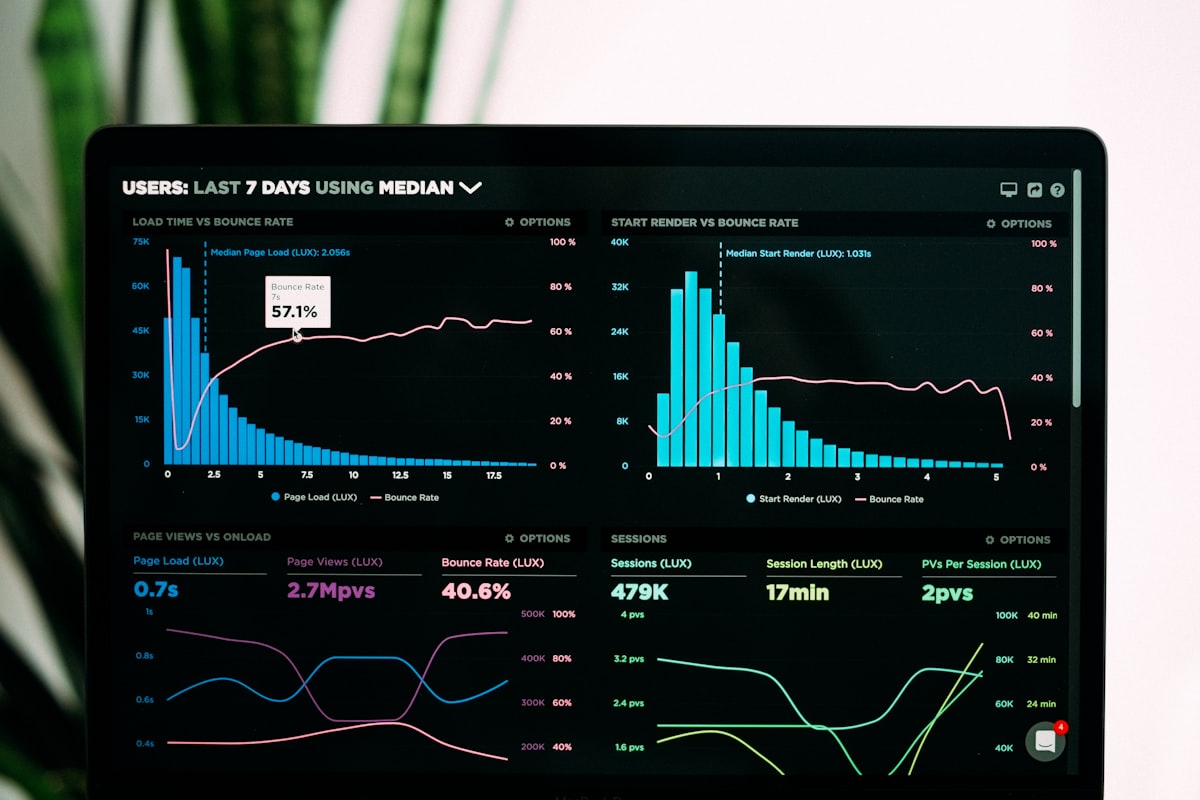
Extracted data flows directly into your existing tools:
- Accounting software: QuickBooks, Xero, FreshBooks
- ERP systems: NetSuite, SAP, Microsoft Dynamics
- CRM platforms: HubSpot, Salesforce
- Spreadsheets: Google Sheets, Excel Online
- Custom databases: Via API or webhooks
No more copying data between systems. No more "single source of truth" arguments. Data enters once and propagates everywhere it needs to go.
A Complete Accounting Workflow Example
Let's see how this works in practice for a typical mid-sized business.
The Setup
Company Profile:
- Manufacturing distributor
- 800 vendor invoices per month
- 3-person accounting team
- QuickBooks Online + HubSpot CRM
Current State:
- Each invoice takes 25 minutes to process
- 800 × 25 min = 333 hours/month on invoice entry
- 1 FTE dedicated almost entirely to data entry
- Regular errors cause payment delays
The Automated Workflow

1. Invoice Arrives
Vendor emails invoice to ap@company.com. Scanny detects the attachment and begins processing within seconds.
2. AI Extraction
The system extracts all invoice data using this schema:
{
  "fields": [
    { "name": "vendor_name", "type": "string" },
    { "name": "invoice_number", "type": "string" },
    { "name": "invoice_date", "type": "date" },
    { "name": "due_date", "type": "date" },
    { "name": "po_number", "type": "string" },
    { "name": "payment_terms", "type": "string" },
    { "name": "subtotal", "type": "number" },
    { "name": "tax_rate", "type": "number" },
    { "name": "tax_amount", "type": "number" },
    { "name": "freight_charges", "type": "number" },
    { "name": "total_amount", "type": "number" },
    {
      "name": "line_items",
      "type": "array",
      "items": {
        "type": "object",
        "properties": {
          "part_number": { "type": "string" },
          "description": { "type": "string" },
          "quantity": { "type": "number" },
          "unit_price": { "type": "number" },
          "extended_price": { "type": "number" }
        }
      }
    }
  ]
}
3. Automatic Matching
The system matches the invoice against:
- Open purchase orders (by PO number)
- Receiving records (quantities match what was received)
- Price agreements (unit prices match contracted rates)
Matched invoices proceed automatically. Mismatches flag for review.
4. QuickBooks Integration
Matched invoices create bills in QuickBooks automatically:
- Vendor linked (or created if new)
- Expense accounts mapped based on item categories
- Payment terms set from invoice
- Due date calculated
- Ready for payment batch
5. HubSpot Update
If the vendor exists as a HubSpot company:
- Activity logged with invoice details
- Total business with vendor updated
- Custom properties populated
6. Exception Queue
The 5% of invoices that need attention appear in a review dashboard:
- Side-by-side: original document + extracted data
- One-click corrections
- Approve and continue processing
The Results
- Processing time: 333 hours → 17 hours/month (95% reduction)
- Errors: 8 per month → 0-1 per month
- Staff reallocation: 1 FTE moved from data entry to financial analysis
- Early payment discounts captured: $4,200/month additional savings
The accountant who used to type invoices now analyzes vendor spending patterns and negotiates better terms. The value they deliver increased dramatically—because they finally have time to think.
Addressing Common Concerns
"Our invoices come in all different formats"
This is exactly what AI OCR is designed for. Unlike template-based systems that need configuration for each vendor, modern AI adapts to any layout automatically.
Scanny has processed invoices from over 10,000 unique vendors across 40+ countries. Each one had a different format. The extraction accuracy: 99%+.
"What about handwritten invoices or poor scans?"
The AI handles these through:
- Image preprocessing: Automatic rotation, de-skewing, contrast enhancement
- Confidence scoring: Low-confidence extractions flagged for review
- Partial extraction: What can be read is extracted; gaps are highlighted
Even a faded fax that's been photocopied twice usually yields 80%+ extraction. That's still massive time savings compared to typing everything manually.
"We have specific accounting rules and validations"
Your workflow rules apply after extraction:
- Invoices over $10,000 require manager approval
- New vendors trigger credit check workflow
- Certain expense categories need project codes
- Tax calculations validated against nexus rules
These rules execute automatically. The extracted data feeds your existing approval workflows.
"Integration with our accounting system seems complicated"
If your accounting software has an API (most do), integration takes under an hour. Scanny connects directly to:
- QuickBooks Online and Desktop
- Xero
- FreshBooks
- NetSuite
- Sage
- Microsoft Dynamics
- And dozens more via Zapier/Make
No custom development. No IT project. Connect your accounts and start processing.
"What about security and compliance?"
Document data is:
- Encrypted in transit (TLS 1.3)
- Encrypted at rest (AES-256)
- Processed in isolated environments
- Never used for AI training
- Deleted on your schedule
SOC 2 Type II compliance. GDPR ready. Your auditors will be satisfied.
The 40% to 5% Transformation
Here's what the math looks like when you eliminate manual data entry:
| Metric | Before Automation | After Automation |
|---|---|---|
| Time on data entry | 40% of workweek | 5% of workweek |
| Hours per week (per accountant) | 16 hours | 2 hours |
| Invoice processing time | 25 minutes | 1 minute (review) |
| Error rate | 1-2% | Under 0.1% |
| Cost per invoice | $12-15 | $2-3 |
| Time to payment | 14 days average | 3 days average |
Key Insight: Automation doesn't replace your accountant. It transforms them from a data entry clerk into a financial analyst. The same person delivers 10x more value because they're finally free to use their expertise.
Getting Started: The First 30 Days
Transitioning to automated document processing doesn't require a massive project. Here's a realistic 30-day plan:
Week 1: Baseline and Setup
Day 1-2:
- Document current process (time per invoice, error rates)
- Identify top 20 vendors by invoice volume
- Export sample invoices (50-100) for testing
Day 3-5:
- Create Scanny account
- Connect email inbox (ap@yourcompany.com)
- Set up extraction schema for invoices
- Process sample invoices to validate accuracy
Week 2: Parallel Processing
Day 6-10:
- Run automation in parallel with manual process
- Compare extraction accuracy to manual entry
- Tune schema for edge cases
- Document exceptions and patterns
Week 3: Integration
Day 11-15:
- Connect accounting system integration
- Configure approval workflows
- Set up exception handling rules
- Train team on review queue
Week 4: Go Live
Day 16-20:
- Switch primary processing to automated system
- Monitor exceptions and adjust rules
- Calculate actual time savings
- Document process for team
Day 21-30:
- Refine workflows based on real usage
- Expand to additional document types (receipts, statements)
- Plan for additional integrations
Most businesses achieve full automation within 30 days. Many process their first real invoice on day one.
What Your Accountant Should Actually Be Doing
When you free up 16 hours per week, redirect that time to high-value activities:
Cash Flow Management
- Daily cash position analysis
- 13-week cash forecasting
- Payment timing optimization
- Working capital improvements
Vendor Analysis
- Spending pattern analysis by category
- Contract compliance monitoring
- Price comparison across vendors
- Payment term negotiations
Financial Planning
- Budget variance analysis
- Cost reduction identification
- Pricing optimization support
- Scenario modeling
Compliance and Controls
- Internal control testing
- Audit preparation
- Policy documentation
- Process improvement
These activities directly impact your bottom line. They require human judgment, expertise, and business context. They're what you hired an accountant to do.
The Bottom Line
Your accountant spending 40% of their time on data entry isn't normal—it's a symptom of outdated technology. In 2025, AI-powered document automation extracts invoice data in seconds with higher accuracy than manual entry.
The transformation is straightforward:
- 16 hours per week back to strategic work
- 95% reduction in processing time
- 80% reduction in processing cost
- Near-zero error rates
- Same-day invoice processing
Your accountant's expertise is valuable. Stop wasting it on typing.
Ready to eliminate data entry from your accounting workflow? Start your free trial and process your first invoices in minutes—no credit card required.